Learn anything.
Turn a question into something you can practise.
- Languages
- History
- New skills
Introducing GLUE
Bring ChatGPT into everyday life, with physical devices and interfaces that adapt to you and what you’re doing.
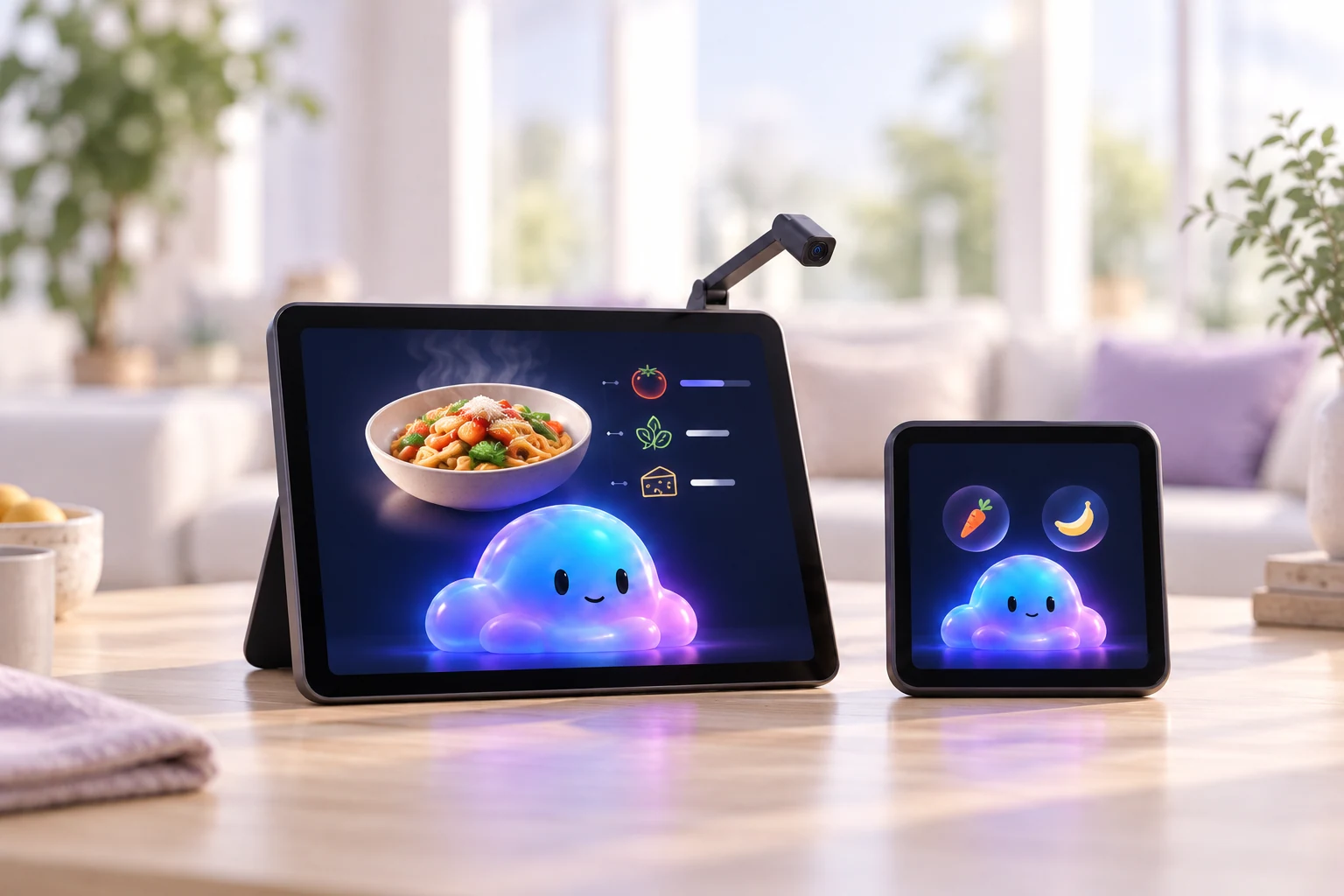
“Help me plan dinner.”
Canvas + Compact Concept devices
From conversation to experience
The context you choose to share stays with the activity.
Begin with something you want to learn, make or understand.
Explore the Republic.
How did people take part?A conversation becomes a visual lesson, a question or a useful next step.
We explored the Republic.
Continue with the Empire.
Pick up with the useful context of what you’ve already done.
A place in your everyday
A question, a project, a moment together. Start there.
Turn a question into something you can practise.
Keep the next useful step in view, while your hands stay busy.
Let useful updates come to you. Reply when needed, without returning to the scroll.
Share a skill, try a game or build something across generations.
The interface changes. The connection stays.
The same memory.
An interface for every moment.
Your context, progress and decisions stay with you. GLUE adapts what you see and how you interact to the Home you’re using.
Same dinner. Different interface.
A larger display for the recipe, with a camera you can turn toward the worktop when you need help with what’s in front of you.
Select a Home to explore the interface.Stir gently for 2 minutes.
Ask a question while you cook.
A short exchange, right when you need it.
Ask while your hands are busy.
Bring what’s in front of you into the conversation.
Keep the useful step in view.
Concept Homes. One continuous experience.
A quieter way to keep things close
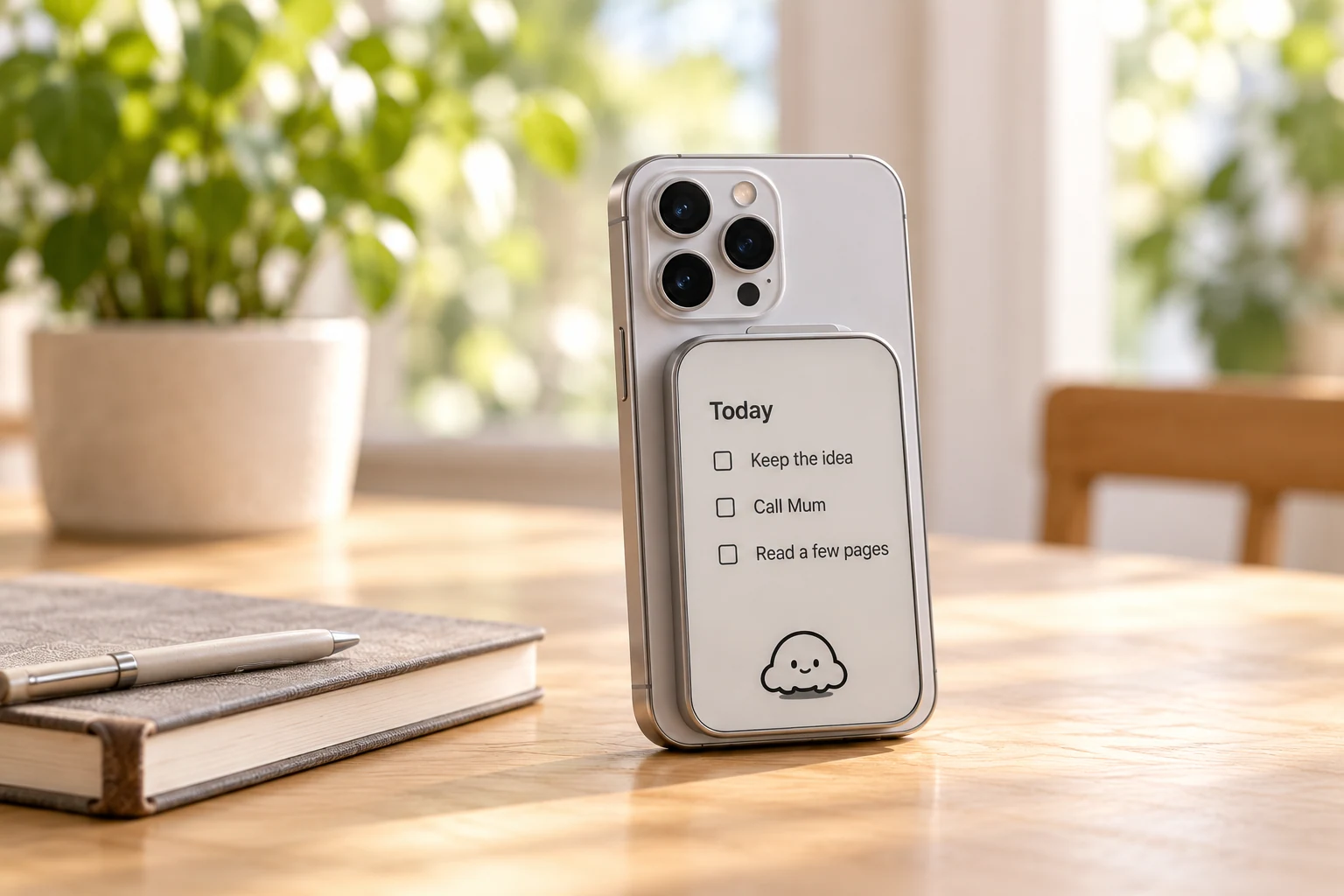
GLUE Ink keeps your notes, to-do and reading on a quiet e-ink display. Designed to use your phone’s microphone, camera and connection, so everything works together.
Build a birdhouse together this weekend.
Speak a note. Keep it in view.The hare hurried ahead. The tortoise kept a steady pace, one small step after another.
A few pages, at your own pace.Illustrative e-ink views. Notes, to-do and reading are part of the Home vision.
Capture a thought. Keep the idea before it slips away.
Keep your list close. A clear view of what comes next.
Read at your own pace. Return to a few pages, anytime.
Made for the person taking part
The same helpful companion, with an interface that fits how you learn, communicate and explore.
Show the pieces. Ask a question. Explore what you could build together.
Pictures, spoken explanations and activities to explore, one step at a time.
Show GLUE your pieces and imagine the next step.
Kids Mode pairs with a parent’s view for choosing activities and what’s shared.
A companion for their discoveries, with a place for your choices.
A view for parents to choose connected activities and how their child takes part.
Ask a question, show an object or a letter, then listen to the explanation. Clear choices, larger text and time to respond.
Let’s read it together, one part at a time.
Useful help with everyday questions, presented at your pace.
Your tools, part of the experience
GLUE is being built to bring OpenAI’s capabilities and connected tools into an interface shaped for you, your activity and your Home. Conversation. Voice. Vision. Image generation.
A message to answer
A language to practise
An update to review
Plans for the day
Your chosen context
and connected tools
MCP connection.
An interface for your Home.
What does this mean?
Concept architecture and illustrative integrations. Availability depends on supported connections.
A lesson to practise. A recipe to follow. A project to share.
Meet the HomesGLUE is being designed around your existing ChatGPT experience. You choose an activity and the context to share. The proposed connection uses a GLUE MCP server to route that activity to a compatible Home and return your response and useful progress to the same conversation. Supported connections and prototype capabilities are being developed.
That is the vision: the same companion and the useful memory of your activity, presented differently on each compatible Home. You choose the context that travels. Multi-Home continuity and family modes are part of the experience being designed.
GLUE is in development. The concept Homes and experiences on this site show where we’re going. We’re exploring the product through prototypes; there is no announced shipping date or subscription bundle.